
How to Use the Select Briq 2: Charging, Meter Mode & Troubleshooting
Admin
How Do You Use a Select Briq 2?
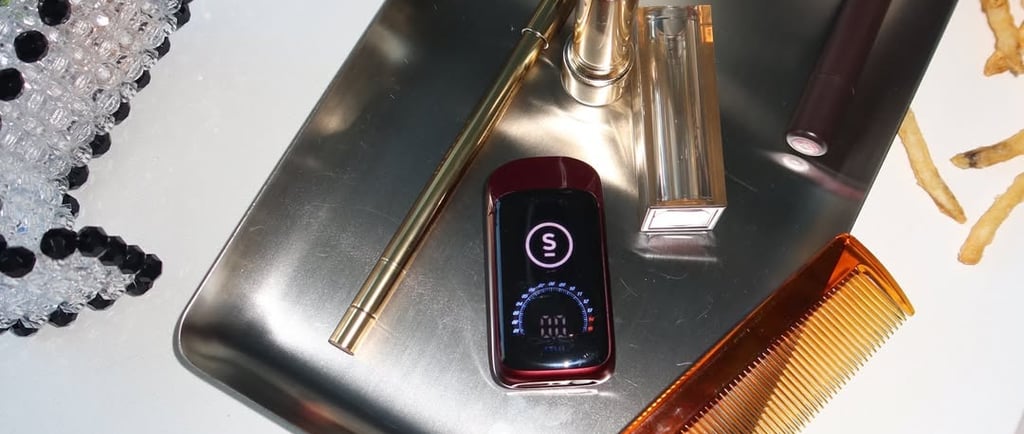
You inhale. That's genuinely the whole manual for a first session: the Briq 2 is an auto-draw all-in-one with no buttons, no threading, and no settings required out of the box. The device activates when you pull, the full-front digital screen shows your dose in real time via Meter Mode Intelligence™, and the ceramic Flavor Protection Technology™ element manages temperature automatically. Below is everything beyond that first puff — charging, the discreet mode, making 2 grams last, and what to do when something seems off.
How to Charge the Select Briq 2
The Briq 2 charges via USB-C — the same cable as most modern phones. Plug into the port on the device using any standard USB-C cable and a normal-wattage power source (a phone charger or laptop port is fine; skip ultra-high-wattage bricks out of general battery caution). The screen indicates charging status. Because the battery is rechargeable, you'll never strand oil in a dead device — the design guarantees you can vape the full 1g or 2g fill. There's no need to charge before first use; devices ship ready to draw.
Battery habits that help: top up before it fully dies rather than running to zero, don't leave it charging unattended overnight, and keep it out of hot cars — heat is the enemy of both battery and oil.
Using Meter Mode: What the Screen Tells You
Meter Mode Intelligence™ turns dosing from guesswork into feedback. As you draw, the full-front display responds in real time, showing your dose as it happens — so instead of the classic "was that a big hit?" uncertainty, you watch it. Practical ways to use it: take a small, measured draw and wait ten minutes before deciding on more (especially with high-potency oil in the high-80s to low-90s THC range); use consistent draw lengths so the readout becomes a personal yardstick; and if you're a medical patient tracking intake, the screen gives you a session-by-session reference no 510 cart can.
The Briq 2 also includes a discreet mode for low-key sessions — check your device packaging for the specific activation gesture on your model, as official materials are the authoritative source for model-specific controls.
How to Make a 2-Gram Briq 2 Last
A 2g device holds roughly 500+ small draws' worth of oil depending on your pull length, so pacing is mostly about habit. Store the device upright at room temperature, away from sunlight — heat thins the oil and degrades terpenes even in a sealed device. Take shorter draws; long, hard pulls flood the element, waste oil as uncollected vapor, and are the number-one cause of clogging in any vape. And use the screen: the dose readout makes it easy to stop at "enough" instead of "oops."
Briq 2 Troubleshooting
Weak or no vapor. Check the charge first — a low battery under-powers the element. If charged, take a few gentle primer puffs; the improved airflow design resists clogs, but thick oil in a cold room moves slowly. Warming the device in your hands (never with external heat) restores viscosity.
Clogged or tight draw. The Briq 2's redesigned airflow specifically targets clogging — Select cited industry research that 58% of vape consumers wanted clogging solved — but no device is immune to user-induced floods. Gentle, short pulls clear most partial clogs. Don't poke tools into the mouthpiece.
Screen not lighting. Charge it. If a fully charged device shows nothing and doesn't produce vapor, stop using it and return it: authentic Briq 2s from licensed dispensaries are covered by retailer support, and a dead-on-arrival device is a swap, not a project.
Burnt taste. Rare by design — preventing this is the entire point of Flavor Protection Technology™ — but chain-vaping any device without pauses can outrun temperature control. Space your draws. If the burnt taste is constant from the first puff, verify authenticity: flavor burnout on "day one" is a counterfeit signature, not a Briq 2 behavior.
When in doubt, go back to the counter. Licensed dispensaries stand behind authentic product. That support path is one more reason the licensed channel is the only place to buy.
Frequently Asked Questions
How do I know when my Briq 2 is fully charged?
The full-front screen indicates charging status while plugged in via USB-C. A full charge from low battery is quick enough to do over a meal.
Does the Briq 2 need to be turned on?
No — it's auto-draw. Inhaling activates the device, and the screen wakes with the draw. A discreet mode is available for low-key use.
Why is my Briq 2 not hitting?
In order of likelihood: dead battery (charge it), cold thick oil (warm the device in your hands), a flooded element from long hard pulls (take gentle short draws), or a defective/counterfeit unit (return to the licensed dispensary).
Can I use any USB-C charger?
Any standard USB-C cable with a normal phone-charger power source works. Avoid extreme fast-charging bricks and never charge unattended for long periods.
How long does a 2g Briq 2 last?
Entirely usage-dependent — a daily light user might stretch it well over a month, while heavy use shortens that considerably. The dose screen makes it easy to see your own pace.